


How to create procedurally generated game environments in Three.js
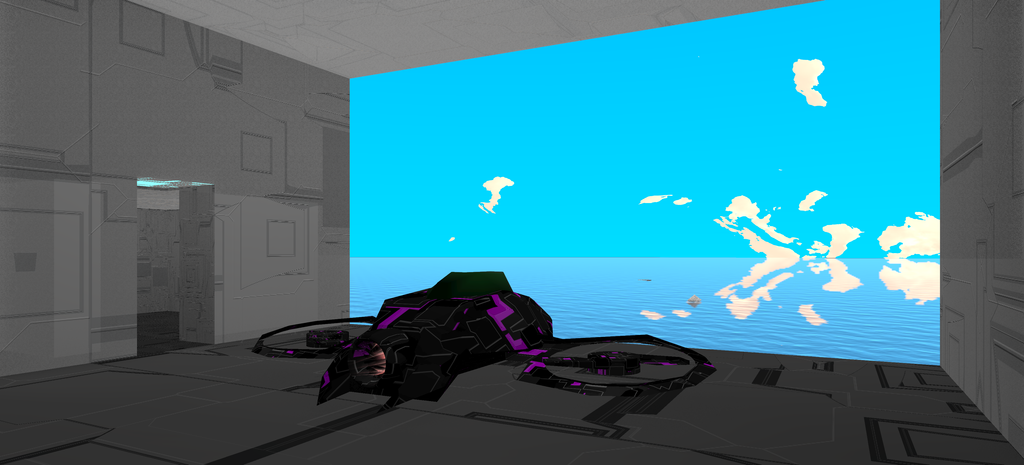
Langenium is a project whose goal is to eventually produce a web based MMORPG. One of the biggest bottlenecks of the genre is content creation and delivery, game installer sizes, which means that will also be an even bigger choking point for a web game with limited studio resources. That’s why I decided to use procedurally generated materials and structures where possible.
- Background Context
- Building an Indoor Scene
- Shader based materials
- Long term vision
- What’s next
- Links
Background Context
Back in May of 2014 I experimented with ThreeCSG, a plugin that allowed boolean operations between simple 3D objects.
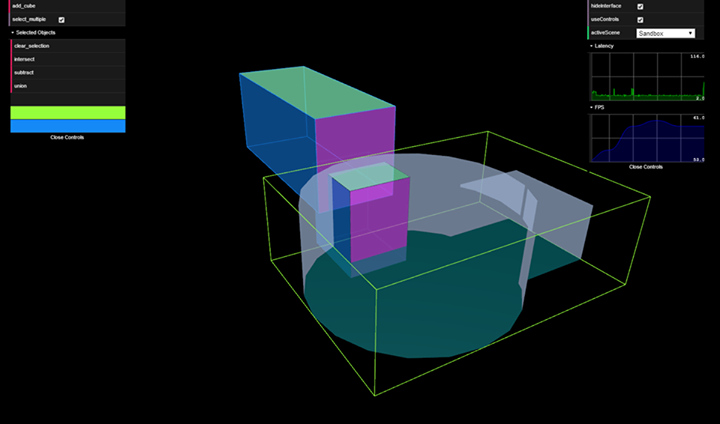
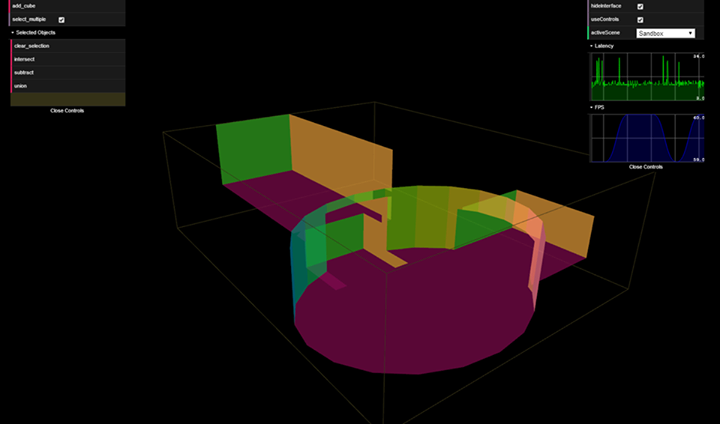
My tests were successful for simple intersections of flat surfaces, but things quickly became unsustainable when merging anything with curves.
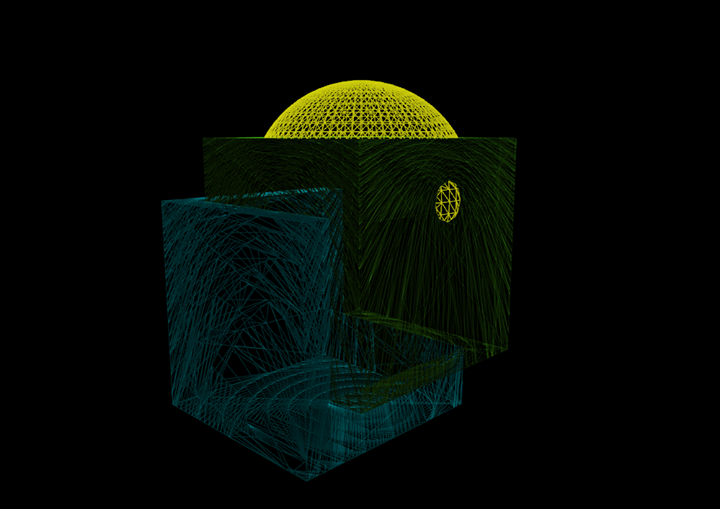
Still, the technique proved useful enough to deliver my first indoor environment.
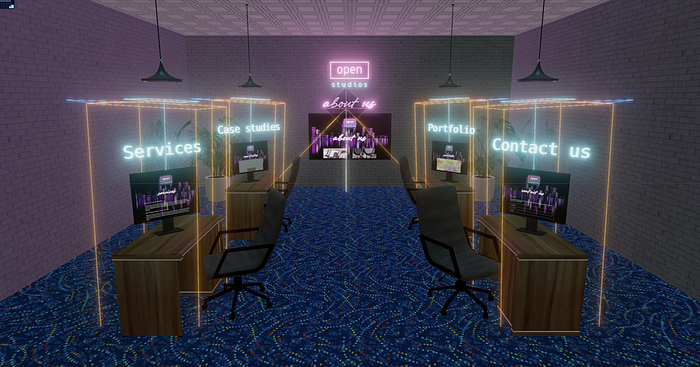
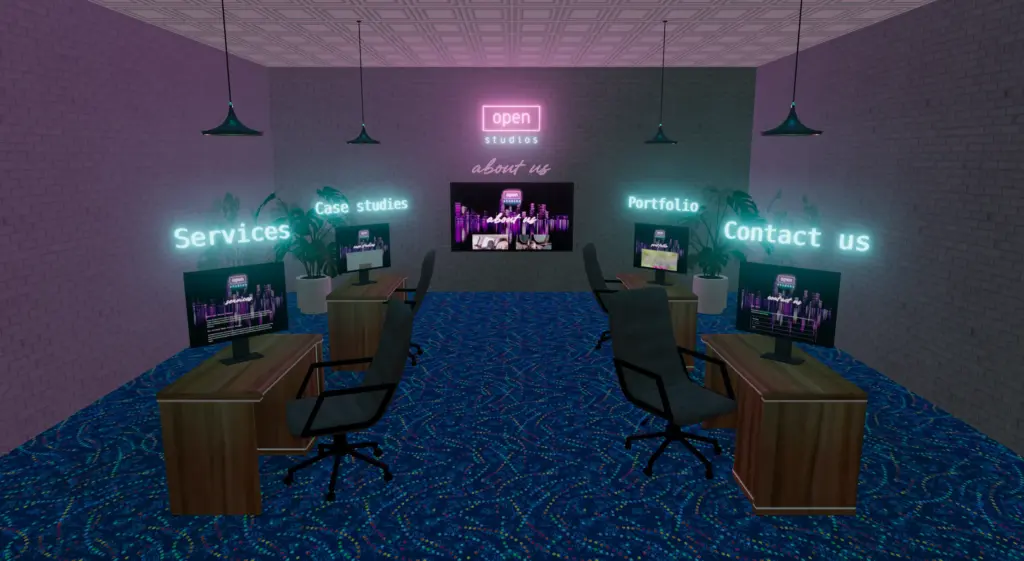
The office environment for Open Studios website uses a mix of Constructive Solid Geometry to create objects procedurally and game models where it was easier to just use existing assets than model them in code.
From createOfficeRoom() in virtual_office.js, lines 723–905:
export async function createOfficeRoom() {

  var doorGeometry = new THREE.BoxGeometry(doorWidth, doorHeight, doorDepth);
  const transparentMaterial = new THREE.MeshLambertMaterial({
    opacity: 0,
    transparent: true
  });

  const doorBrush = new Brush(doorGeometry, transparentMaterial);
  doorBrush.position.set(-doorWidth / 2, - 5 + (doorHeight / 2), - 15 + (window.virtual_office.room_depth / 2));
  doorBrush.position.x += 4.1;
  doorBrush.updateMatrixWorld();

  const roomWidth = 80;
  const roomHeight = 37.5;
  const roomGeometry = new THREE.BoxGeometry(roomWidth, roomHeight, window.virtual_office.room_depth);

  // OMITTED: floor, ceiling and wall materials, texture loading, and the exterior floor plane.

  const materials = [
    // Right
    sidewallMaterial,
    // Left
    sidewallMaterial,
    // Ceiling
    ceilMaterial,
    // Floor
    floorMaterial,
    // Front
    backwallMaterial,
    // Back
    backwallMaterial
  ];

  const roomBrush = new Brush(roomGeometry, materials);
  roomBrush.position.y = 13.75;
  roomBrush.position.z = -15;

  roomBrush.updateMatrixWorld();

  let result = new THREE.Mesh(
    new THREE.BufferGeometry(),
    new THREE.MeshBasicMaterial()
  );

  csgEvaluator.evaluate(roomBrush, doorBrush, SUBTRACTION, result);
  result.receiveShadow = true;
  result.layers.set(11);

  return result;
}
This code creates the geometry of the room, cutting out the space for the door and allowing the user to enter the room in the intro sequence.
From createDesk() in virtual_office/furniture.js, lines 363–392.
async function createDesk( i ) {
  var deskGroup = new THREE.Group();
  deskGroup.name = "desk";

  // OMITTED: desk model loading and material adjustments.

  // Add computer screen
  var screenGeometry = new THREE.BoxGeometry( 0.64, 0.48, 0.02 );
  var screenMaterial = new THREE.MeshPhongMaterial( { color: 0x222222 } );
  var screen = new THREE.Mesh( screenGeometry, screenMaterial );
  screen.position.set( 0, 0.7, 0.05 );
  screen.castShadow = true; //default is false
  screen.receiveShadow = false; //default
  screen.name = "screen";
  deskGroup.add( screen );

  // Add screen stand (formerly CPU)
  var cpuGeometry = new THREE.BoxGeometry( 0.1, 0.15, 0.025 );
  var cpuMaterial = new THREE.MeshPhongMaterial( { color: 0x666666 } );
  var cpu = new THREE.Mesh( cpuGeometry, cpuMaterial );
  cpu.position.set( 0, 0.4, 0.0625 );
  cpu.castShadow = true; //default is false
  cpu.receiveShadow = false; //default
  cpu.name = "cpu";
  deskGroup.add( cpu );

  // Add screen stand base.
  var baseGeo = new THREE.BoxGeometry( 0.25, 0.01, 0.125 );
  var base = new THREE.Mesh( baseGeo, cpuMaterial );
  base.position.set( 0, 0.32, 0.0625 );
  base.castShadow = true; //default is false
  base.receiveShadow = false; //default
  base.name = "base";
  deskGroup.add( base );

  // OMITTED: desk labels, ceiling light models and spotlight setup.

  return deskGroup;
}
This code creates the computer monitors on each desk, using simple shapes to create the monitor stands and screens.
Migration of the office into Langenium’s new build made me experiment with other procedurally generated structures leading to the creation of the new wells, refineries and cargo ships in the game overworld.
With the success of the new overworld structures, I wanted to create a way to create indoor environments that could act as additional gameplay areas for story telling, puzzle solving, platforming challenges and building atmosphere.
Building an Indoor Scene
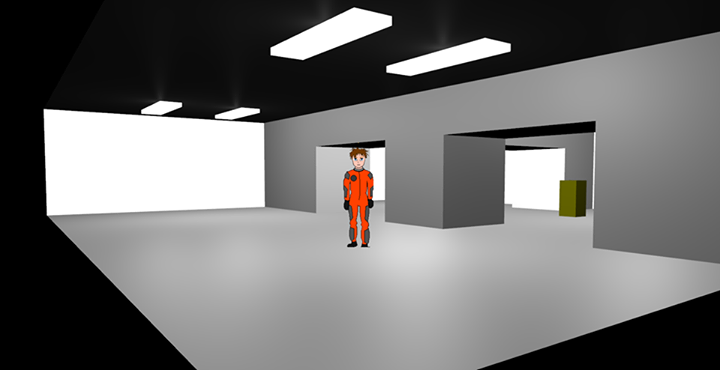
Langenium is slowly progressing from being a tech demo into a actual game, as such I wanted to start supporting a separate scene so the user could be inside overworld structures to do things like trade, interact with NPC’s and handle other game systems in an immersive world building way.
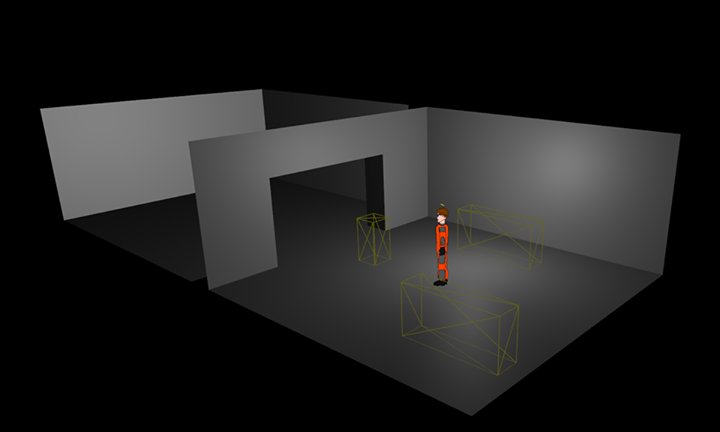
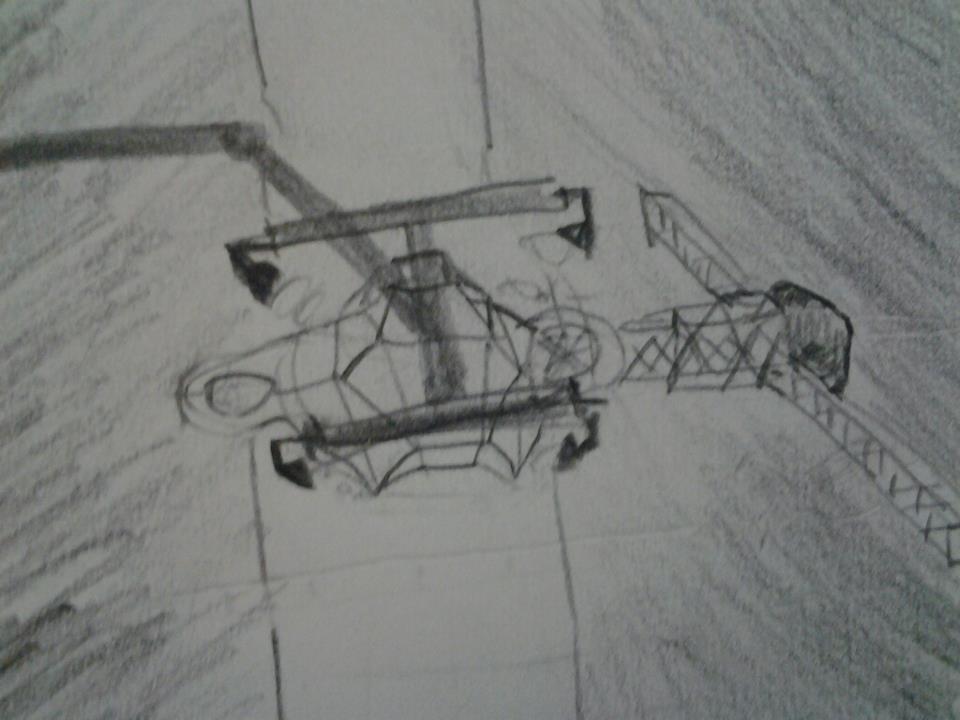
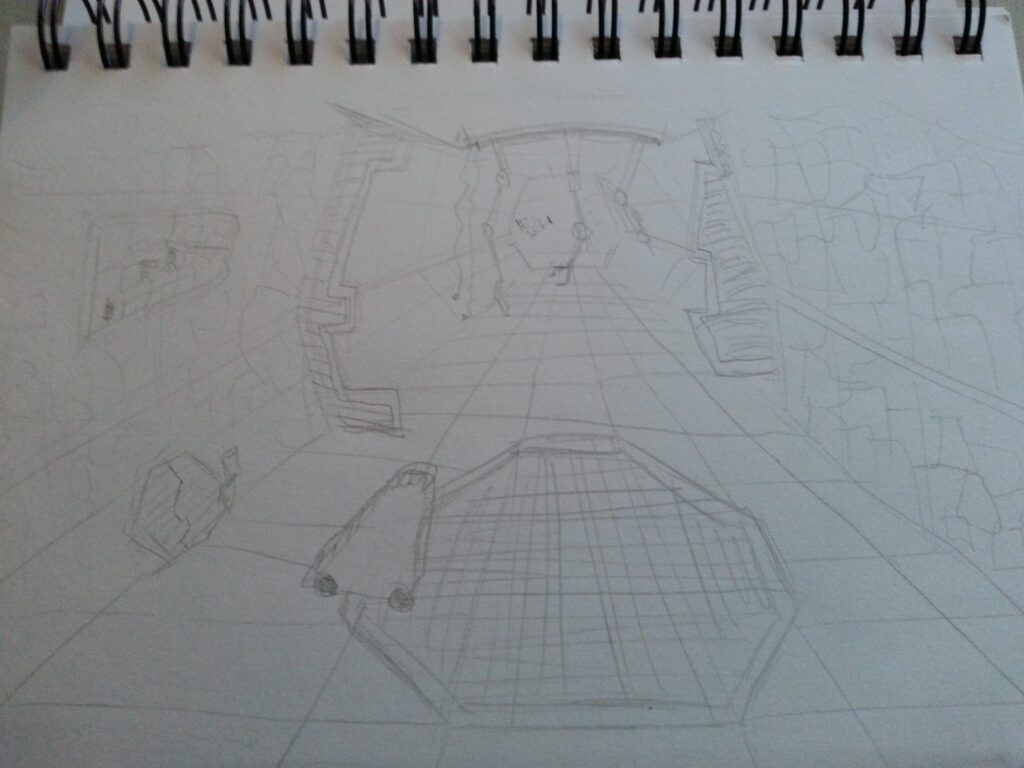
The hangar scene was envisaged to be a key part of the game since the beginning, below are my original drawings of the scene. I’ve deviated from that a little but the central idea was preserved.
Using configuration to guide procedural generation
In order for the indoor scene to be a natural part of the game world, and to work later in the multiplayer version, I refactored the code so that the overworld was populated from a config file. This means that each structure can have its own hangar configuration, allowing all sorts of in-engine and in-game options.
This configuration found in the Overworld config (game/src/scenes/overworld.yml) attaches hangars to an overworld structure:
objects:
  # OMITTED: other overworld structures.
  - name: Lambda City
    model: platform
    position:
      x: -35000
      y: 1500
      z: -65000
    rotation:
      x: 0
      y: -12.56
      z: 0
    hangars:
      - name: Hangar 1
        position:
          x: 0
          y: 6100
          z: -8620
        rotation:
          x: 0
          y: 0
          z: 0
      - name: Hangar 2
        position:
          x: 0
          y: 6100
          z: 8620
        rotation:
          x: 0
          y: 3.14159
          z: 0
  # OMITTED: remaining overworld structures.
There is currently only one hangar design in the game code, but it’s been written to be extensible so adding more is just a matter of writing new configurations and testing them.
This configuration from the hangar game class ( game/src/objects/structures/hangar.ts) holds the default hangar design that is loaded by getDesign():
    getDesign( designIndex = 0 ) {
        const designs = [
          {
            name: 'Bay with quarters',
            size: 5,
            components: [
              {
                  name: 'Main Bay',
                  width: 10,
                  height: 5,
                  depth: 10,
                  position: {
                      x: 0,
                      y: 0,
                      z: 0
                  },
                  rotation: {
                      x: 0,
                      y: 0,
                      z: 0
                  }
              },
              {
                  name: 'Quarters',
                  width: 5,
                  height: 2.5,
                  depth: 5,
                  position: {
                      x: -8.375,
                      y: -1.25,
                      z: -2.5
                  },
                  rotation: {
                      x: 0,
                      y: 0,
                      z: 0
                  }
              },
              {
                name: 'Corridor',
                width: 2.5,
                height: 2.55,
                depth: 1.25,
                position: {
                    x: -5,
                    y: -1.225,
                    z: -1.25
                },
                rotation: {
                    x: 0,
                    y: 0, // 90 degrees or half pi
                    z: 0
                }
              },
            ]
          }
        ];
        return designs[designIndex];
    }
It describes three components: the main bay, quarters and connecting corridor, each with dimensions, a position and a rotation. In the original code, this object is the first entry in the designs array, selected by default through getDesign(designIndex = 0).
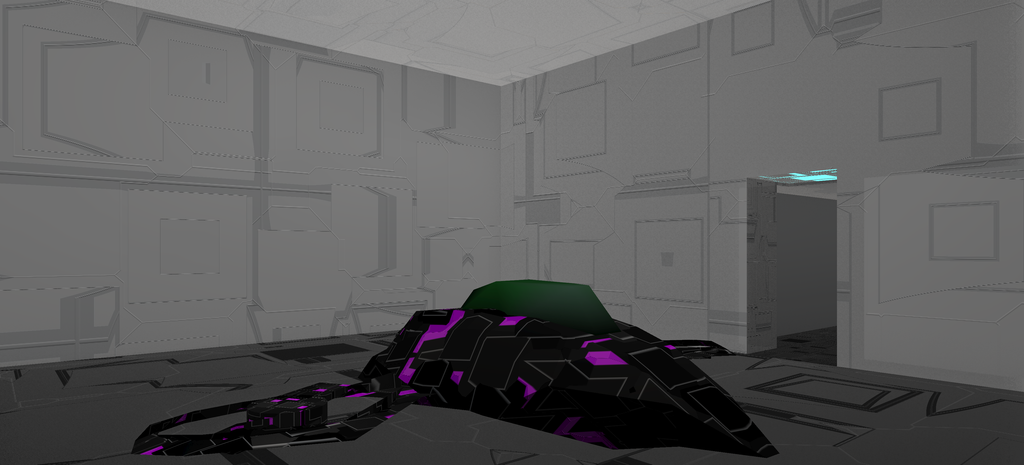
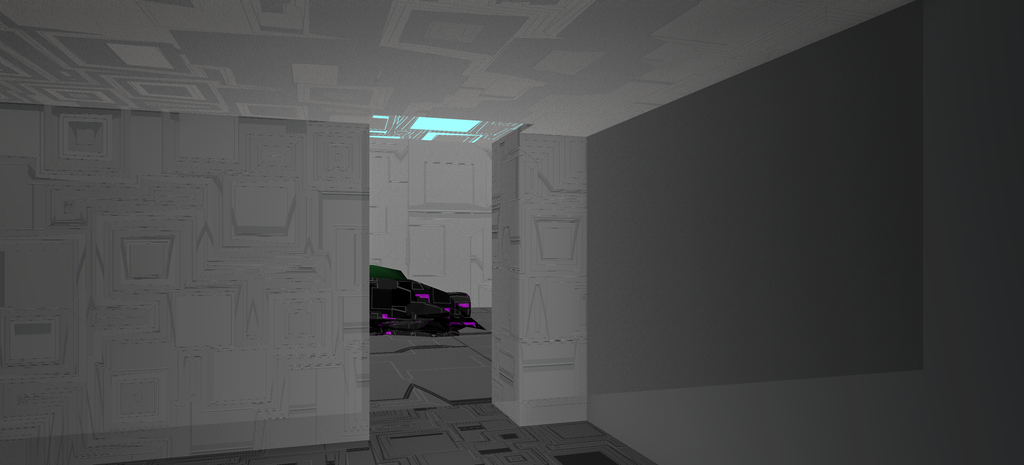
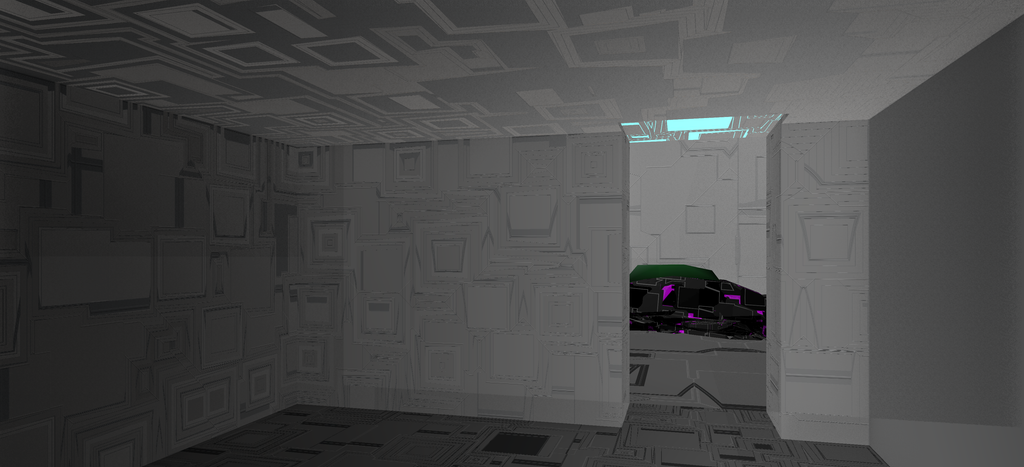
This code loads the hangar design in the game client to render it in 3D, from client/src/app/scenograph/objects/structures/hangar.js:
import * as THREE from 'three';
import { ADDITION, HOLLOW_SUBTRACTION, Operation, Evaluator } from 'three-bvh-csg';

/**
 * Internal libs and helpers.
 */
import l from '@/helpers/l.js';
import { proceduralBuilding, proceduralMetalMaterial2 } from '@/scenograph/materials.js';

import HangarObject from '#/game/src/objects/structures/hangar';

export default class Hangar {

    // Modified materials for indoor scenes
    materials;

    // Game object containing layout definition and collision detection handling.
    objectClass;

    // THREE.Mesh
    mesh;

    // The scale of the mesh.
    size;

    constructor() {

        this.size = 5;

        this.materials = {};

        this.ready = false;

        this.objectClass = new HangarObject();

    }

    /**
     * Load hangar mesh
     * @returns
     */
    async loadMesh( ) {
        let hangarConfig, corridorConfig, quartersConfig;

        this.objectClass.design.components.forEach(component => {
            if ( component.name === 'Main Bay' ) {
                hangarConfig = component;
            }
            if ( component.name === 'Quarters' ) {
                quartersConfig = component;
            }
            if ( component.name === 'Corridor' ) {
                corridorConfig = component;
            }
        });

        /**
         * Main hangar mesh
         */
        let hangarMesh = await this.loadHangarMesh( hangarConfig );

        /**
         * Corridor mesh
         */
        let corridorMesh = await this.loadCorridorMesh( corridorConfig );
        corridorMesh.operation = ADDITION;
        hangarMesh.add( corridorMesh );

        /**
         * Player quarters mesh.
         */
        let quartersMesh = await this.loadQuartersMesh( quartersConfig );
        quartersMesh.operation = ADDITION;
        hangarMesh.add( quartersMesh );

        // Constructive Solid Geometry (csg) Evaluator.
        let csgEvaluator;
        csgEvaluator = new Evaluator();
        csgEvaluator.useGroups = true;
        let result = csgEvaluator.evaluateHierarchy( hangarMesh );

        let mesh = new THREE.Object3D();
        mesh.add( result );
        mesh.userData.targetable = false;
        mesh.userData.objectClass = 'hangar';
        mesh.scale.setScalar( 2.5 );

        return mesh;
    }

    async load() {

        // Setup materials.
        await this.loadMaterials();

        this.mesh = await this.loadMesh();

    }

    /**
     * Setup Hangar materials
     */
    // OMITTED: loadMaterials(); shown in the shader materials section below.

    /**
     * Creates the Hangar's main mesh.
     */
    async loadHangarMesh( config ) {
        /**
         * Hangar mesh
         */
        let hangarMesh = new Operation( new THREE.BoxGeometry( config.width, config.height, config.depth, 2, 2, 2 ), [
            this.materials.hangar,
            this.materials.hangar,
            this.materials.hangar,
            this.materials.hangar,
            this.materials.hangar,
            this.materials.clear.clone()
        ] );

        hangarMesh.updateMatrixWorld();

        return hangarMesh;
    }

    /**
     * Creates the corridor mesh.
     */
    async loadCorridorMesh( config ) {

        let corridorMesh = new Operation( new THREE.BoxGeometry( config.width, config.height, config.depth ), this.materials.metal );

        corridorMesh.position.x = config.position.x;
        corridorMesh.position.y = config.position.y;
        corridorMesh.position.z = config.position.z;
        corridorMesh.rotation.x = config.rotation.x;
        corridorMesh.rotation.y = config.rotation.y;
        corridorMesh.rotation.z = config.rotation.z;

        corridorMesh.updateMatrixWorld();

        return corridorMesh;
    }

    /**
     * Creates the player quarters mesh.
     */
    async loadQuartersMesh( config ) {
        let quartersMesh = new Operation( new THREE.BoxGeometry( config.width, config.height, config.depth, 2, 2, 2 ), this.materials.metal );

        quartersMesh.position.x = config.position.x;
        quartersMesh.position.y = config.position.y;
        quartersMesh.position.z = config.position.z;
        quartersMesh.rotation.x = config.rotation.x;
        quartersMesh.rotation.y = config.rotation.y;
        quartersMesh.rotation.z = config.rotation.z;
        quartersMesh.material.uniforms.scale.value = 0.8;

        quartersMesh.updateMatrixWorld();
        quartersMesh.name = 'inner';

        return quartersMesh;
    }
    // OMITTED: animate() shader time update.

}
The client loads the design from the game-core hangar object, finds the main bay, corridor and quarters, and builds their geometry using the configured dimensions. The corridor and quarters are positioned and rotated from their configuration, then joined to the main bay using CSG addition. The result is scaled by 2.5. The main bay uses a separate invisible material on one face for its opening.
This configuration places the player within a hangar, from game/src/scenes/overworld.yml:
actors:
  # OMITTED: other actors.
  - name: Player Two
    model: person
    class: player
    hangar:
      structure: Lambda City
      hangarName: Hangar 2
    position:
      x: -65000
      y: -35000
      z: 1500
    rotation:
      x: 0
      y: -12.56
      z: 0
  # OMITTED: remaining actors.
The hangar entry identifies the structure and named hangar that the player occupies. Here, Player Two uses the person model and is assigned to Hangar 2 in Lambda City.
Gameplay experience considerations
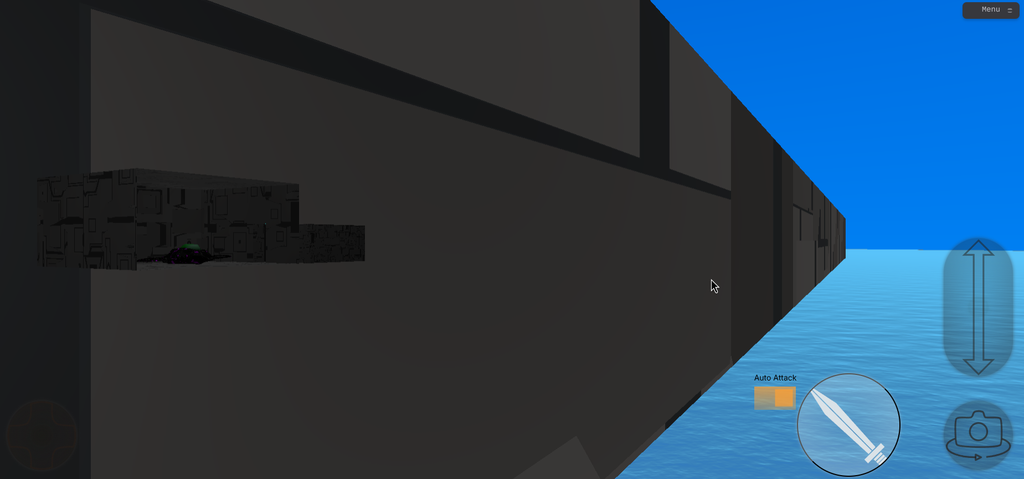
When the overworld simulation is loaded by the game client, it processes each structures hangar configuration and loads up the hangar designs needed if a player is inside one. Hangars can see out, but players in the overworld cannot currently see into the hangars. This was a intentional decision so that I could maintain the immersion of being in a structure in an overworld area, without having to handle design fidelity when there are multiple hangars on one building.
The hangar scene uses AABB collision, the connected pieces of simple geometry check if the player is crossing into an area where they are no longer inside one of the room elements.
It took a bit of refining to get the collision detection to work, I was able to clip through walls if I ran fast enough and I believe according to the way code is written that is still technically possible if someone could move faster than they’re allowed to by the code.
The hangar game object derives component bounding boxes from the same design used to construct the visible geometry. From game/src/objects/structures/hangar.ts:
    public getComponentAABBs(): AABB[] {
        const cos = Math.cos( this.rotation.y || 0 );
        const sin = Math.sin( this.rotation.y || 0 );

        return this.design.components.map(component => {
            const halfSize = {
                x: component.width,
                y: component.height,
                z: component.depth
            };
            const localX = component.position.x * 2.5;
            const localZ = component.position.z * 2.5;

            const worldPos = {
                x: this.position.x + localX * cos + localZ * sin,
                y: this.position.y + component.position.y * 2.5,
                z: this.position.z - localX * sin + localZ * cos
            };

            return {
                min: {
                    x: worldPos.x - halfSize.x,
                    y: worldPos.y - halfSize.y,
                    z: worldPos.z - halfSize.z
                },
                max: {
                    x: worldPos.x + halfSize.x,
                    y: worldPos.y + halfSize.y,
                    z: worldPos.z + halfSize.z
                }
            };
        });
    }
The component offsets are scaled and transformed into world coordinates using the hangar position and Y rotation. Each component produces a minimum and maximum bound for the movement checks.
These methods from game/src/world.ts check the proposed player bounds against the components of the assigned hangar:
    checkHangarCollisions(actorInstance: any) {
        // Get object's proposed AABB at next position
        const actorAABB = actorInstance.object.getAABBNext();

        // Ensure the user is still inside the hangar area.
        let inside = false;
        if (actorInstance.config.hangar) {
            this.instance.objects.forEach((objectInstance, objectName) => {
                if (objectName == actorInstance.config.hangar.structure) {
                    if (objectInstance.hangars) {
                        objectInstance.hangars.forEach((hangarInstance) => {
                            if (hangarInstance.config.name == actorInstance.config.hangar.hangarName) {

                                for (const componentAABB of hangarInstance.object.aabb ) {
                                    if (this.aabbContained(actorAABB, componentAABB)) {
                                        inside = true;
                                        break;
                                    }
                                }

                            }
                        });
                    }

                }
            });

        }
        if (inside) {
            actorInstance.object.commitNextPosition();
        }

    }

    // Checks if actor Bounding Box is within the component Bounding Box
    aabbContained(actorBounds, componentBounds) {
        let offset = 1.25;
        return (
            actorBounds.min.x >= componentBounds.min.x - offset &&
            actorBounds.max.x <= componentBounds.max.x + offset &&
            actorBounds.min.y >= componentBounds.min.y - offset &&
            actorBounds.max.y <= componentBounds.max.y + offset &&
            actorBounds.min.z >= componentBounds.min.z - offset &&
            actorBounds.max.z <= componentBounds.max.z + offset
        );
    }
The simulation commits the proposed position only when the actor bounding box fits inside at least one component, with the configured 1.25-unit tolerance. This checks containment within the component boxes rather than testing against the triangles produced by CSG.
I had some performance issues when I first implemented AABB based collision which led me on a months long quest to try to refactor the engine, a pursuit I ultimately abandoned. I did however keep a significant rework of the game engine that moved the tracking of game world state out of the game client and into the reusable core as its own simulation. That will allow the same code to be run by the game clients and multiplayer servers in future.
The hangar scene was implemented and it’s performance issues seemed solved even on mobile, so I decided to push ahead and merge it in.
Shader based materials
The Langenium engine has a number of shader based materials that were ported from Blender. If you’d like to know more about them, check out How to implement Blender Principled BSDF Materials in Three.js (WebGL).
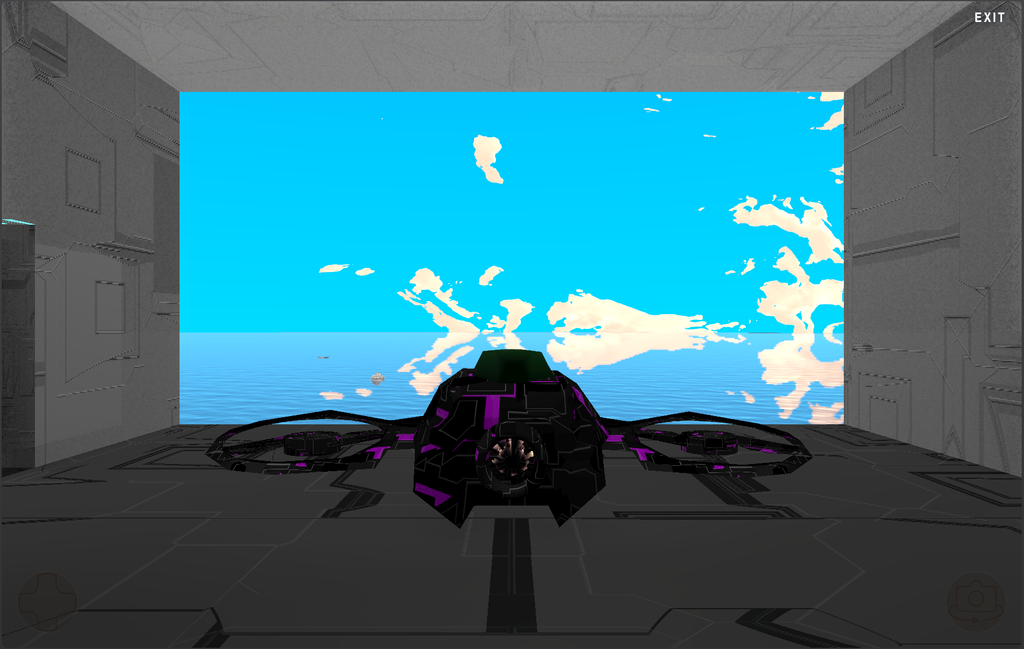
For the hangar, we’re using Langenium’s procedural building material. This features complex metal panels that represent a mix of technological components, lights and metalwork. The same material is used for the inside of wells and the inner rows of the refinery structures.
While different parts of the world share a material, they implement it with different settings for scale so that they fit the structure they’re attached to.
The hangar sets up its materials in client/src/app/scenograph/objects/structures/hangar.js. It clones the building material to give the main bay its own scale setting:
    async loadMaterials() {
        this.materials.clear = new THREE.MeshBasicMaterial( { color: 0xffFFFF, transparent: true, visible: false, side: THREE.DoubleSide } );
        this.materials.metal = proceduralBuilding( {
            uniforms: {
                time: { value: 0.0 },
                scale: { value: .025 },                                         // Scale
                lacunarity: { value: 2.0 },                                          // Lacunarity
                randomness: { value: 1.0 },                                          // Randomness
                emitColour1: { value: new THREE.Vector4( 0.0, 0.0, 0.0, 0.25 ) },     // Emission gradient colour 1
                emitColour2: { value: new THREE.Vector4( 0.158, 1., 1., .9 ) },       // Emission gradient colour 2
                shadowFactor: { value: 0.03 },
                shadowOffset: { value: 0.1 },
            }
        } );
        this.materials.metal.transparent = true;
        this.materials.metal.side = THREE.DoubleSide;
        // Clone of the material to customize scaling.
        this.materials.hangar = this.materials.metal.clone();
        this.materials.hangar.uniforms.scale.value = 0.25;
    }
The wells use the same material function in client/src/app/scenograph/objects/structures/extractor.js, with a cloned material for the inner surface:
        const material = proceduralBuilding( {
            uniforms: {
                time        :  { value: 0.0 },
                scale       :  { value: .005 },                                         // Scale
                lacunarity  :  { value: 2.0 },                                          // Lacunarity
                randomness  :  { value: 1.0 },                                          // Randomness
                emitColour1 :  { value: new THREE.Vector4( 0.0, 0.0, 0.0, 0.25 ) },     // Emission gradient colour 1
                emitColour2 :  { value: new THREE.Vector4( 0.158, 1., 1., .9 ) },       // Emission gradient colour 2
                shadowFactor:  { value: 0.03 },
                shadowOffset:  { value: 0.1 },
            }
        } );

        material.transparent = true;
        material.side = THREE.DoubleSide;
        // OMITTED: outer mesh construction and CSG subtraction.

        let innerMesh2 = new THREE.Mesh( new THREE.CylinderGeometry( 7.5, 7.5, 100, 8, 1, true ), material.clone() );
        window.extractor.inner = innerMesh2.material;
        innerMesh2.material.uniforms.scale.value = 0.8;
        innerMesh2.position.y = 0;
        innerMesh2.scale.setScalar( this.size );
        innerMesh2.updateMatrixWorld();
        innerMesh2.name = 'inner';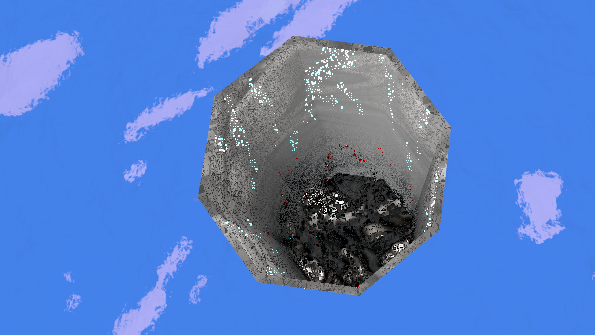
The refinery creates its inner shell material with another scale setting, in client/src/app/scenograph/objects/structures/refinery.js:
        const material2 = proceduralBuilding( {
            uniforms: {
                time        :  { value: 0.0 },
                scale       :  { value: 13.3 },                                         // Scale
                lacunarity  :  { value: 2.0 },                                          // Lacunarity
                randomness  :  { value: 1.0 },                                          // Randomness
                emitColour1 :  { value: new THREE.Vector4( 0.0, 0.0, 0.0, 0.25 ) },     // Emission gradient colour 1
                emitColour2 :  { value: new THREE.Vector4( 0.158, 1., 1., .9 ) },       // Emission gradient colour 2
                shadowFactor:  { value: 0.01 },
                shadowOffset:  { value: 1.75 },
            }
        } );

        let innerShell = new Brush( new THREE.OctahedronGeometry( 1, 0 ), material2 );
        innerShell.rotation.x = - Math.PI / 2;
        innerShell.rotation.y = Math.PI;
        innerShell.rotation.z = Math.PI / 4;
        innerShell.scale.set( this.size * 0.95, this.size * 0.95, this.size / 1.5 * 0.95 );
        innerShell.updateMatrixWorld();
        innerShell.name = 'inner';
        this.mesh.add( innerShell );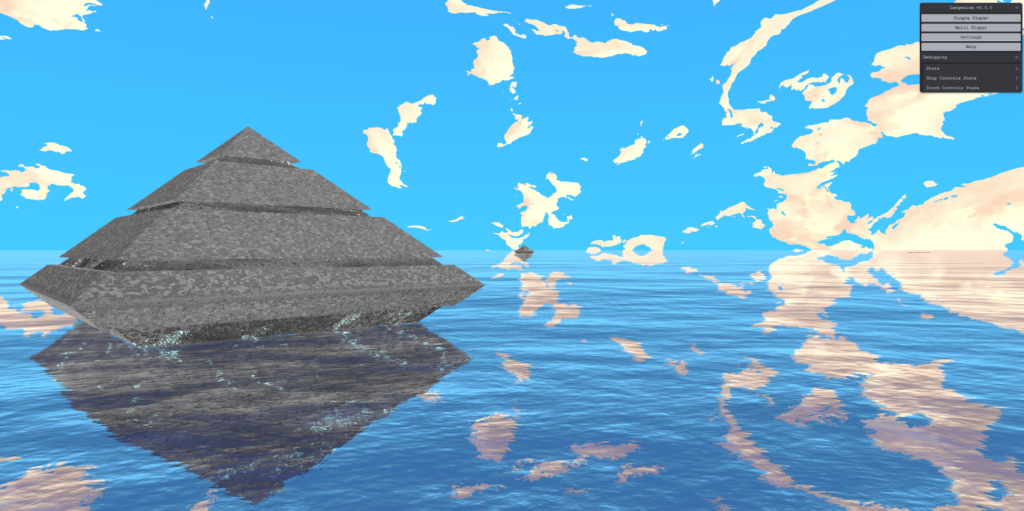
There are a couple of benefits to using a shader material over baked textures:
- We can generate varied surface details across massive structures without obvious texture tiling, while retaining detail when viewed up close.
- Generating the patterns in code avoids downloading and storing large image textures for those details, helping keep asset downloads and texture memory use down.
- We can quickly change patterns, colours and surface properties through material settings, creating new variations and testing different looks directly in the game without editing and exporting texture files.
Long term vision
The game can already support multiple hangar designs attached to multiple buildings, the next step is to leverage that capability to create new kinds of indoor environments such as NPC homes, public spaces and shops.
A visual editor for the hangar scene would also be useful, currently it requires a bit of of math to figure out dimensions. It’s almost worth drawing up in a CAD program just to have the layout right without fixing up incrementally via code.
What’s next
My next priority is to add an item and mission system to the game, which will also likely involve placing objects into the indoor environments for interaction.
I think this combination of elements will finally demonstrate the gameplay loop I’ve envisaged for the project since the beginning. Travelling across a mysterious vast world, learning about how it got here, going on missions and engaging in aerial combat with players and bots.
The game client currently allows players to have infinite missiles, so that will be something to tackle with the next release. My thinking is that players will have to pick up missiles at the hangar, and craft improvements using materials salvaged from combat. The first mission will be somewhat of a game introduction tutorial, setting up the elements in the game and also introducing the player to them.
Resources and additional reading:
- OpenStudiosCo/openstudios.xyz
- OpenStudiosCo/Langenium
- three-bvh-csg
- ThreeCSG (the library used in the original experiments)
- How to implement Blender Principled BSDF Materials in Three.js (WebGL)
About Paul Brzeski
Paul Brzeski is the Co-Founder and Technical Director of Open Studios, and a writer and creative technologist with more than two decades of experience working with software, the web, systems and graphical applications.
His work spans web development, technical architecture, WordPress and PHP systems, DevOps, interactive 3D and experimental R&D. He writes about technology, software, creative practice and the systems people build and live within.
Outside of work, Paul is a house husband, writer and dog dad to three fur babies.
Read more: Paul’s blog · LinkedIn